


A well-maintained DNS setup is essential for strong network performance. It maximises uptime and helps protect you from security threats. How you manage your DNS records, and how much DNS management services cost, varies more than it should across domain providers.
With Krystal, it’s simple. DNS management is included free with every Krystal domain. Manage your settings quickly and easily from your client area, with or without a hosting plan. And benefit from free award-winning support from our dedicated UK support team.
Free DNS management services with every domain
Our DNS management services are included at no extra cost with every domain registered or transferred to Krystal. You don’t need a hosting package to use it.
Some registrars treat DNS management services as a paid add-on or restrict editing to premium plans. With Krystal, you get the same full DNS editor on every domain, regardless of your plan. Register a domain, and the administration tools you’ll need to manage your DNS are there from day one.
Your client area
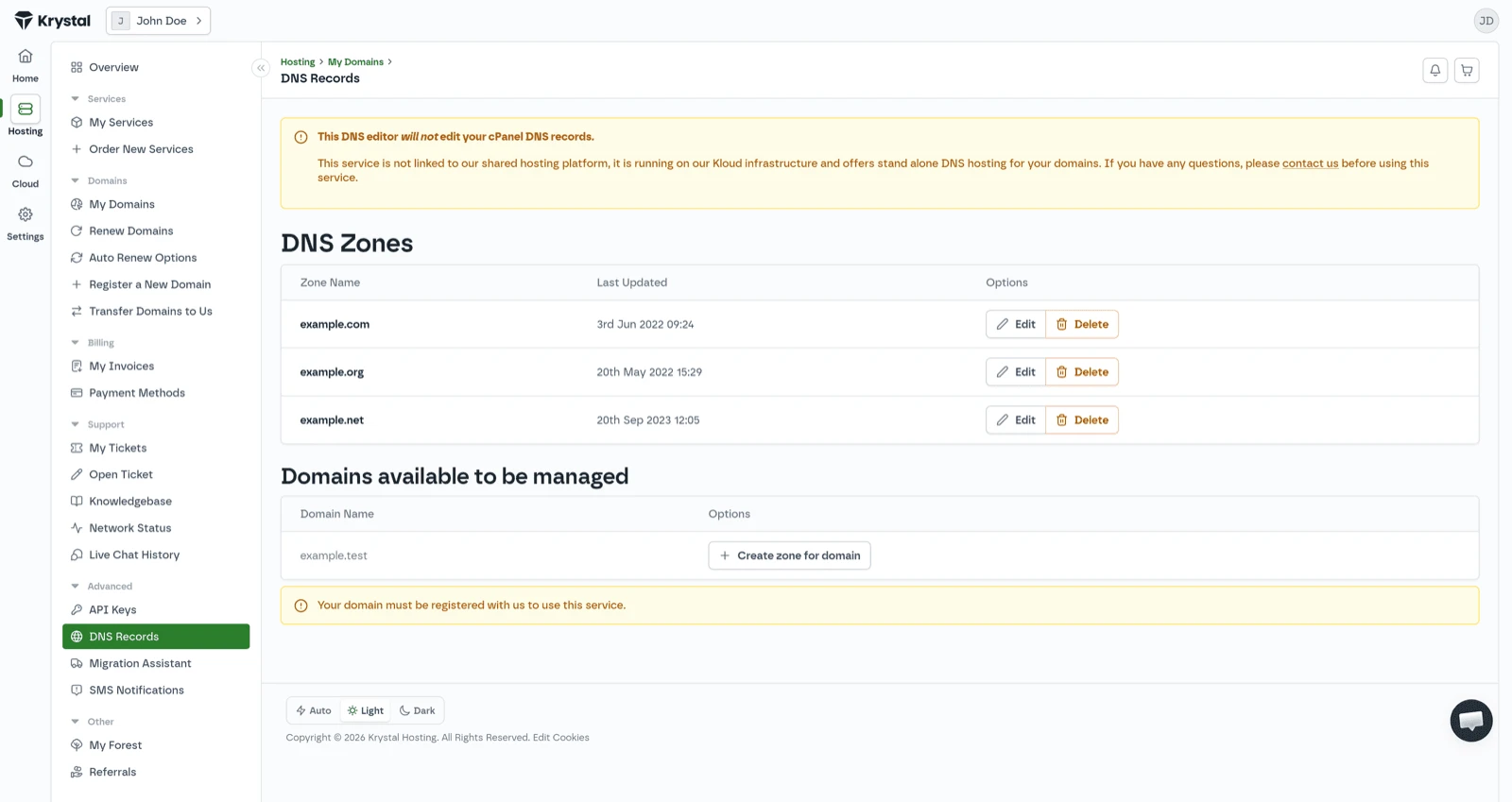
You can manage DNS records in two places, depending on your setup. If your domain has a Krystal hosting plan, you can use the cPanel Zone Editor. If you have registered a domain without hosting, or you host elsewhere, you can use the DNS editor in your client area. Both give you full control over your records.
Record types you can manage
The DNS editor supports the record types you are most likely to need:
A records
A records point your domain to an IPv4 address.
AAAA records
AAAA records do the same for IPv6 addresses.
CNAME records
CNAME records alias one hostname to another. Common when connecting to platforms like Shopify or Squarespace.
MX records
MX records route email to the correct mail server for your domain.
TXT records
TXT records carry verification and security information, including SPF, DKIM and domain ownership checks for services like Google Search Console.
NS records
NS records define which nameservers are authoritative for your domain.
SRV records
SRV records point to specific services running on your domain, such as VoIP or messaging.
Common DNS management tasks
If your website is hosted with Krystal, your DNS records are configured automatically. If you host elsewhere (whether Shopify, Squarespace, WordPress.com or another provider) you will need to update your A record or add a CNAME record using the details your hosting provider gives you.
Open the DNS editor, find the A record for your domain (the entry without a subdomain prefix) and change the IP address to the one your host specifies. For platforms that use CNAME-based connections, add a CNAME record pointing to the address they provide.
Step-by-step guide: pointing a domain at an external serviceDNS propagation
When you change a DNS record, the update propagates across the DNS network within seconds. Any delay you notice is usually caused by cached DNS records.
Resolvers keep cached records for the period set by their TTL (time to live). Until that cache expires, some users may still be sent to the old record.
Before a migration or significant DNS change, reduce the TTL on affected records to 3600 seconds (one hour) at least 24 hours beforehand. This helps cached records expire sooner after the change.
We are powering the web responsibly
Certified B Corp
We are proud to be a Certified B Corp. We have funded more than 5 million trees through Veritree and Ecologi and commit 1% of our annual revenue to environmental causes through 1% for the Planet.
100% renewable-matched power
We run on power matched 100% with renewable energy. For every unit of energy we consume, an equivalent unit from a renewable source enters the grid.

Energy-efficient data centres
We hold our data centre partners to high energy efficiency standards. Our primary UK facility, Netwise, operates at a PUE of 1.17.
Green leadership
We support team members who want to cut their own emissions by offsetting their lifetime carbon footprint. We work with Business Declares to push for stronger climate policy across our industry.